
Key Highlights
- Add SMS Sandbox Testing: We have added an SMS Sandbox module to securely test SMS delivery, provider integrations like Twilio and Amazon Web Services SNS, and message validation with real-time logs and run history, all within an isolated environment.
- Add WhatsApp Sandbox Testing: We have added a WhatsApp Sandbox module to test message delivery, template messaging, and WhatsApp Business API integration via Meta with real-time logs and run history in an isolated environment.
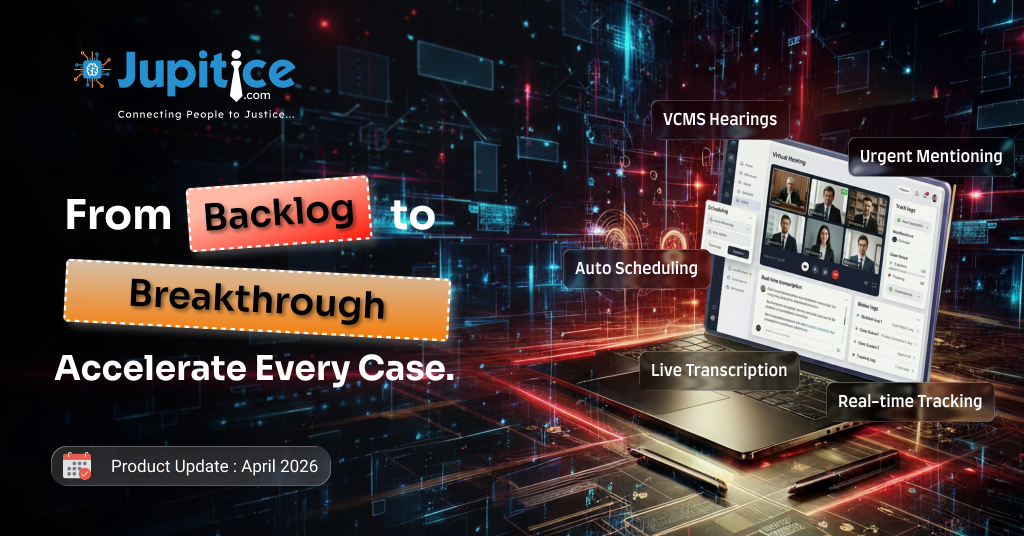
- VCMS Real-Time Transcription: We have added VCMS real-time transcription in Jitsi to provide live, speaker-attributed captions with resilient streaming during meetings.
- Add Email Sandbox: We have implemented a Super Admin–only Email Sandbox module that enables isolated testing of email delivery, templates, and provider responses with detailed logs and run history.
- Project-Wise Template Gallery Support with Multi-Tenant Isolation: We have implemented a Project-Wise Template Gallery with strict multi-tenant isolation, ensuring templates are securely scoped to individual projects while allowing controlled global templates for super admin use.
- High Court Operating System – Unified Workflow Implementation Overview: We have implemented a role-based end-to-end system that streamlines urgent mentioning, case listing, cause list management, and hearing adjudication with seamless workflows, strict validations, and complete transparency across all judicial stakeholders.
Add SMS Sandbox Testing
We have added a dedicated SMS Sandbox module to enable safe and efficient testing of SMS delivery, including integration with providers like Twilio and Amazon Web Services SNS, as well as validation of character limits using credentials from the Credential Manager. This module is accessible through a new “SMS” option in the Sandbox sidebar and is restricted to Super Admin access for secure, platform-level verification. It features a simple interface with mandatory fields for recipient number and message content, along with “Send Test” and “Clear” actions for quick testing. A results panel displays the latest run summary, including request payload, status, timestamp, provider response, and any validation errors, while a run history section keeps track of recent tests within the session, allowing for easy monitoring and troubleshooting without affecting live environments.
Add WhatsApp Sandbox Testing
We have added a dedicated WhatsApp Sandbox module to enable secure and controlled testing of WhatsApp message delivery, including template-based messaging and integration with providers like Meta via the WhatsApp Business API, using credentials managed through the Credential Manager. Accessible through a new “WhatsApp” option in the Sandbox sidebar and restricted to Super Admin access, the module features a simple interface with mandatory fields for recipient number and message content, along with “Send Test” and “Clear” actions for quick execution. A results panel displays the latest run summary with request payload, delivery status, timestamp, provider response, and any validation errors, while a run history section tracks recent tests within the session, allowing efficient monitoring and troubleshooting in an isolated environment without impacting live messaging flows.
VCMS Real-Time Transcription
We have added a VCMS real-time transcription feature that provides live speech-to-text captions during virtual meetings, helping users follow proceedings more accurately even in cases of poor audio quality or language barriers. The feature is accessible through the “three-dot” menu within the Jitsi interface and can be individually enabled or disabled per user view. Transcriptions appear as a floating overlay at the bottom of the video screen, streaming in near real time with smooth speaker transitions and clear speaker attribution for each line. The system also supports concurrent speakers by separating and labelling overlapping speech, while maintaining continuity even as participants join or leave, ensuring resilient and uninterrupted captioning throughout the live session.
Add Email Sandbox
We have implemented a dedicated Email module in the Sandbox Testing Playground to enable secure, isolated testing of email delivery, formatting, and template logic, using credentials configured in the Credential Manager. Accessible via the new “Email” option in the sidebar (with a communication icon), this module is restricted to Super Admins for platform-level validation. It provides a simple interface with mandatory fields for recipient, subject, and message, along with actions to send test emails or clear inputs. Below the form, a results panel displays a detailed summary of each run, including payload, success or failure status, timestamp, provider response, and validation errors. A session-based run history is also available, allowing quick tracking and comparison of recent tests.
Project-Wise Template Gallery Support with Multi-Tenant Isolation
We have implemented a Project-Wise Template Gallery with strict multi-tenant isolation, enabling centralized management of reusable templates such as forms, workflows, and emails while ensuring complete data segregation between projects. Each template is scoped either to a specific project or designated as global, where project-level templates remain accessible only within their respective project boundaries and cannot be viewed or modified by other projects, while global templates are universally accessible but restricted to superadmin-level configuration. The implementation enforces tenant isolation across the system through role-based access control and tenant-aware handling at the application and data layers, ensuring secure separation of project data while still supporting consistency and reuse where appropriate.
High Court Operating System – Unified Workflow Implementation Overview
We have implemented a fully integrated, role-based High Court Operating System to streamline urgent mentioning requests, case listing, cause list management, and hearing adjudication with enhanced efficiency and transparency. Advocates can raise urgent requests through a structured dashboard with validated inputs, which are routed as “Pending Admission” to the Court Master for review, where requests can be admitted or marked “Clarification Required” with feedback; advocates can then rectify and resubmit via a pre-filled interface. Admitted requests move to the Presiding Judge for final approval or rejection, ensuring controlled judicial decision-making. Parallelly, Listing Clerks and Cause List Clerks manage case progression from filing to scheduling by assigning hearings through validated workflows, creating structured hearing entities with lifecycle tracking and system-generated identifiers. The ‘My Queue’ dashboard provides role-specific views, filters, and actions for all stakeholders, enforcing strict access control and seamless status transitions across stages. Finally, Presiding Judges handle scheduled hearings through a dedicated Listed queue, performing actions such as Mark Heard, Passover, or Adjourn, with structured inputs for directions and order dictation. This end-to-end implementation minimizes delays, ensures data integrity, reduces communication gaps, and delivers a transparent, auditable, and efficient digital judicial process.